
Join the Android closed test
Play the full Android version before release at no cost. Setup takes four quick steps, or you can install the separate free Android demo below with no payment screen.
Use the same Google account signed in to your Android Play Store in every step. Screenshots show Google's English interface, and each button outlined in green sits in the same position in every language.
1 Join the testers group
Open the testers Google Group and click "Join group". In the pop-up window, click "Join group" again at the bottom until the page says "Successfully joined the group". Opening the page alone does not add you.
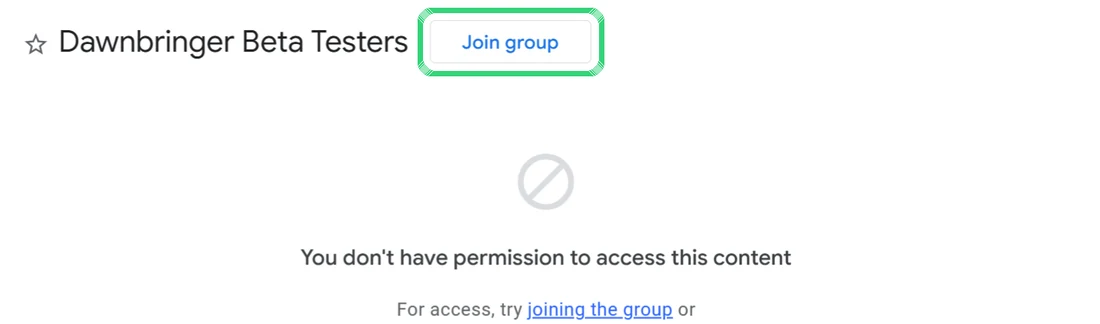
Google Group page. Click "Join group", outlined in green. 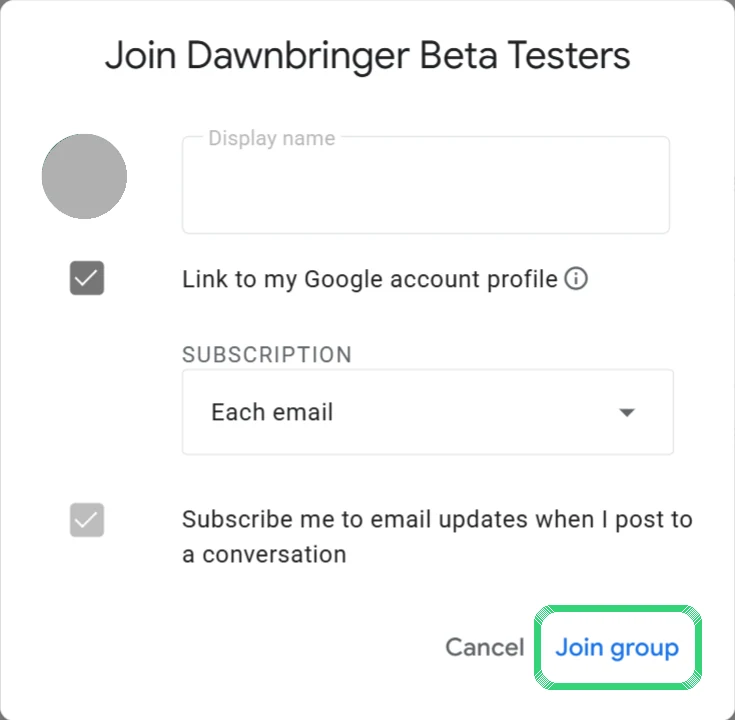
Confirmation window. Click "Join group" at the bottom and leave the display name as is. 2 Opt in as a tester
Using the same Google account, open the Google Play testing page and click "Become a tester". Wait until the page displays "You are a tester."
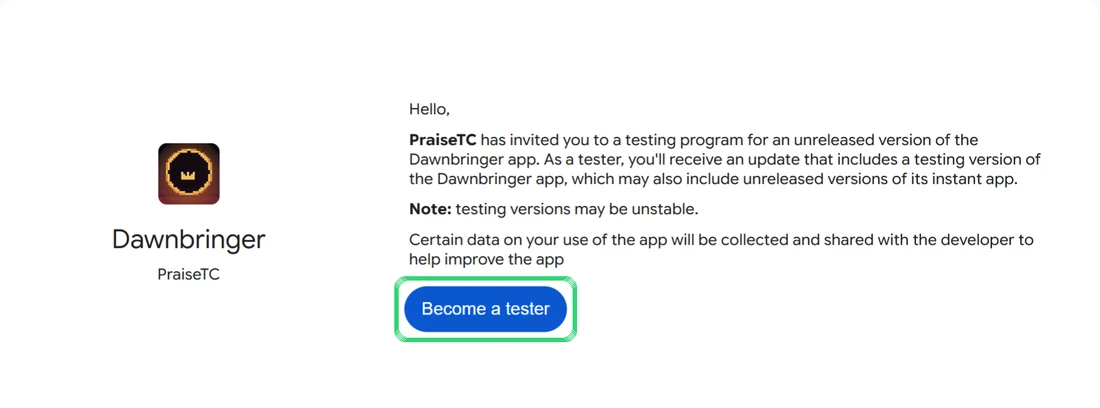
Testing opt-in page. Click "Become a tester". 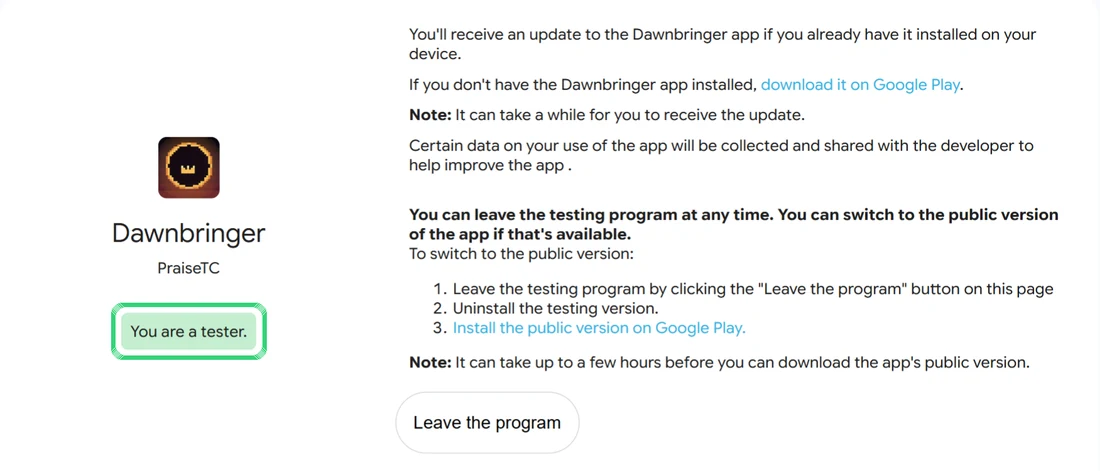
Confirmed. The page now says "You are a tester." 3 Open the store page on Android
Open the game on your Android phone or tablet in Google Play, listed as "Dawnbringer (Early Access)", and tap the blue price button. If Google Play says the page is not found, check that you finished step 2 with the same Google account and wait a few minutes.
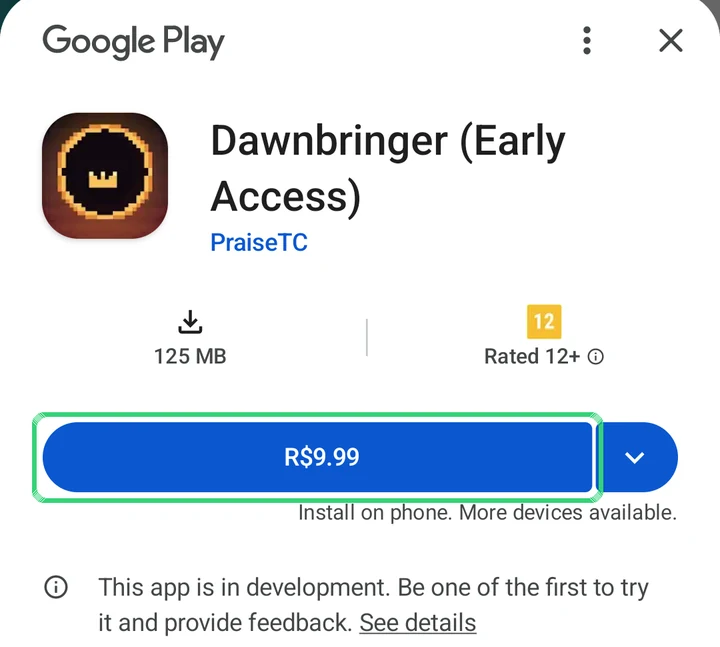
Google Play on Android. Tap the blue price button to open the test checkout. 4 Install free with the test card
On Google Play's checkout sheet, verify that the payment method says "Test card, always approves" and that Google marks it as a test order. Tap "1-tap buy" to install the game with no charge.
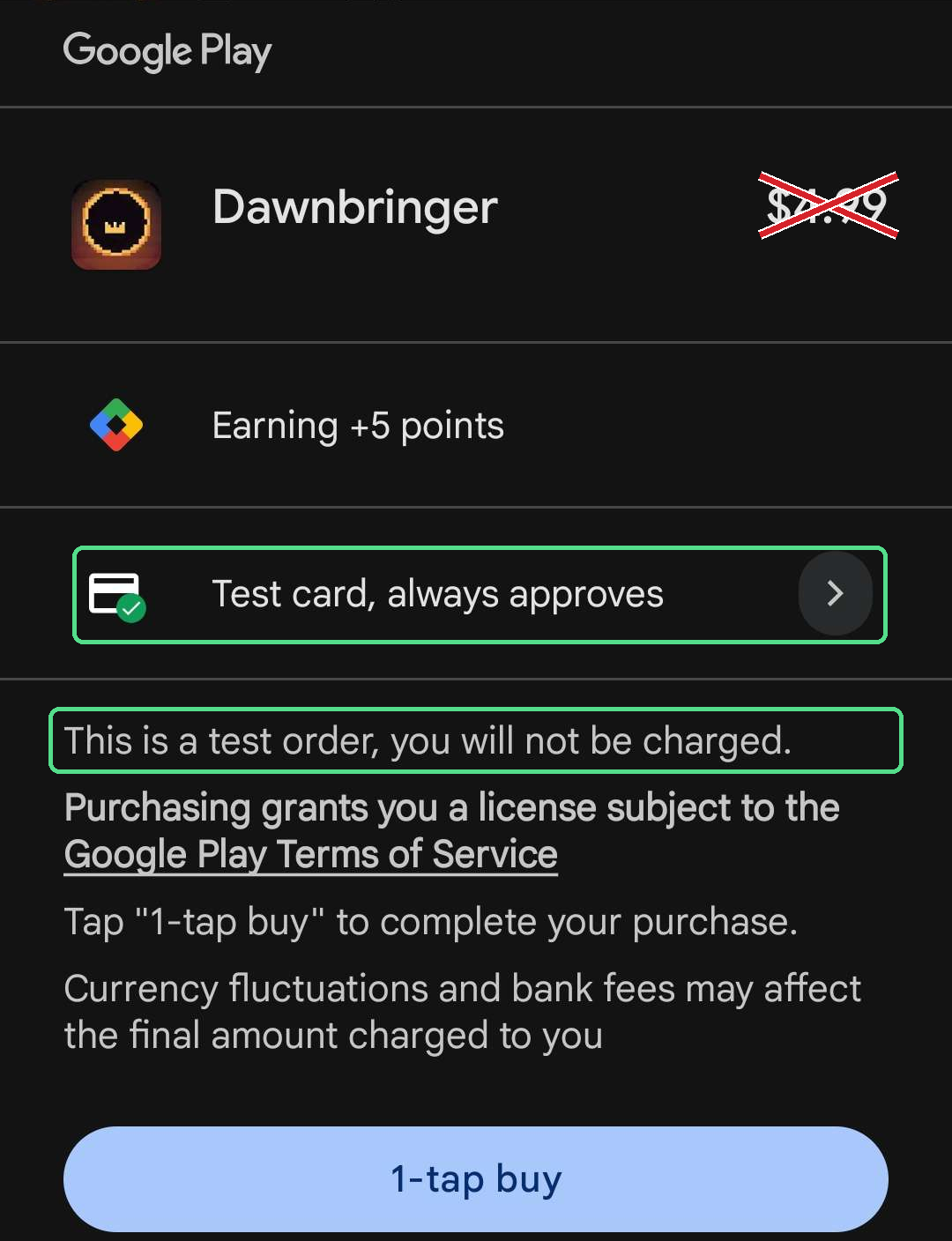
Annotated Google Play test payment screen. The red X crosses out the simulated price. Green boxes highlight "Test card, always approves" and Google's confirmation that you will not be charged.
Prefer the free Android demo with no checkout screen?
Dawnbringer Demo is a separate free app with no test payment step. After completing step 1 above, opt in on the demo testing page with the same Google account and install it from Google Play.
Free tester access ends when the game launches publicly. Joining the closed test does not grant a paid copy of the final release.
Troubleshooting
Use one Google account in every step, across the Google Group, the testing page, and the Google Play Store app on your phone. Check the profile icon on each screen if you use multiple accounts.
Why does Google Play show a price if testing is free?
Paid apps in Google Play closed testing still go through store checkout using "Test card, always approves". When that test card is selected, the purchase is simulated and no money is taken. If you see a real payment method, cancel and verify you used the same account in every step, or email us for help: contato@dawnbringergame.com
Google Play says the app is unavailable or not found
Verify that you joined the Google Group and clicked "Become a tester" with your Play Store account, wait a few minutes, and reload the testing page. If access still fails, email a screenshot of the error, without payment details, to contato@dawnbringergame.com